Details
This page will introduce you to your pet's details page. After reading through you will have a solid understanding of what to do here, and how it helps you work with your pet on TailScribe!
Prerequisites
This tutorial assumes you have already created an account and either added a pet or have access to another user's pet.
Overview
The details page is a broad overview about your pet. What your pet likes, knows, is aiming towards, or anything that you want to record about your pet's current state, likely belongs here.
As of today, this is split into four sections:
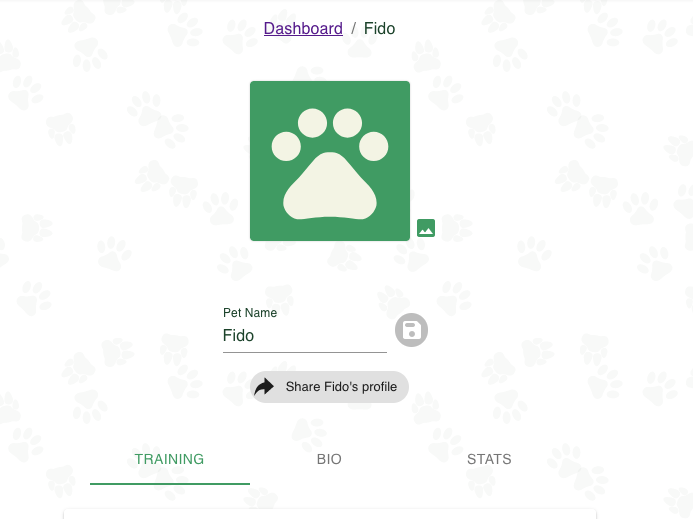
Top Bar: This contains your pet's photo and their name. They will match what you added in the add a pet tutorial.
Training
This is primarily for anything related to your pet's training. Their likes, (think reinforcers), dislikes, tricks, goals, and titles.
The different fields can all be defined as follows:
| Field | Description |
|---|---|
| Likes | Any activity, action, object, etc that your pet likes and wants to continue interacting with. |
| Dislikes | Any activity, action, object, etc that your pet is not a fan of and would rather not continue interacting with. |
| Skills | Broadly speaking, any action your pet can take. As far as usage goes, it will usually correlate with tricks and/or behaviors, depending on your interpretation. |
| Goals | Anything that you, the trainer wish for your pet to accomplish. This can be anything from learning how to interact with strangers, achieving a title, or anywhere in between. |
| Titles | Any title your pet has achieved. |
Bio
This is intended for your pet's characteristics. Includes an about section, their date of birth, age, sex, species, breed.
| Field | Description |
|---|---|
| About Me | A description about your pet. Free-form. |
| Species | The Species of your pet. If a species you want is not on the list, choose "other" and request on the facebook group to have it added. |
| Breed | The specific breed of the pet. If you know a breed that is not recognized via TailScribe, choose "other", and send in a request to the facebook group. |
| Sex | The sex of the given pet. |
| Date Of Birth | The date that the pet was born. If uncertain, just give your best guess. |
| Date of Birth Exact? | An indicator that your pet's date of birth is exactly correct. |
Stats
This is primarily used for measurable characteristics. Ideally ones that can fluctuate over time. Currently supports weight, but use will extend to features such as height, neck circumference, chest circumference, etc.
| Field | Description |
|---|---|
| Weight | The pet's weight. May be measured in lbs or kg. |
Stats also has support for creating custom stats for anything TailScribe doesn't cover out of the box. This allows you to record things like body measurements and more!
To add a new Stat:
- Navigate to the pet stats page and select
Add New Stat To Pet - Add a stat name - this is what you want to call the stat. I.E. "Height".
- Select the stat unit type - this has the supported options: 'Weight', 'Length', and 'Time'.
- Click
Save New Stat
And voila! You now have a new stat. You can update it to add more measurements for it at the current time.
To edit or delete the stat you can select the dropdown and click the "Edit" and "Delete" buttons respectively.
The "Edit" button pulls up the entire stat history of all of the measurements you've done up to now. Here you can add a stat, or update/remove a recording for an existing stat.
What's next?
In the next tutorial we will go over the notes page.